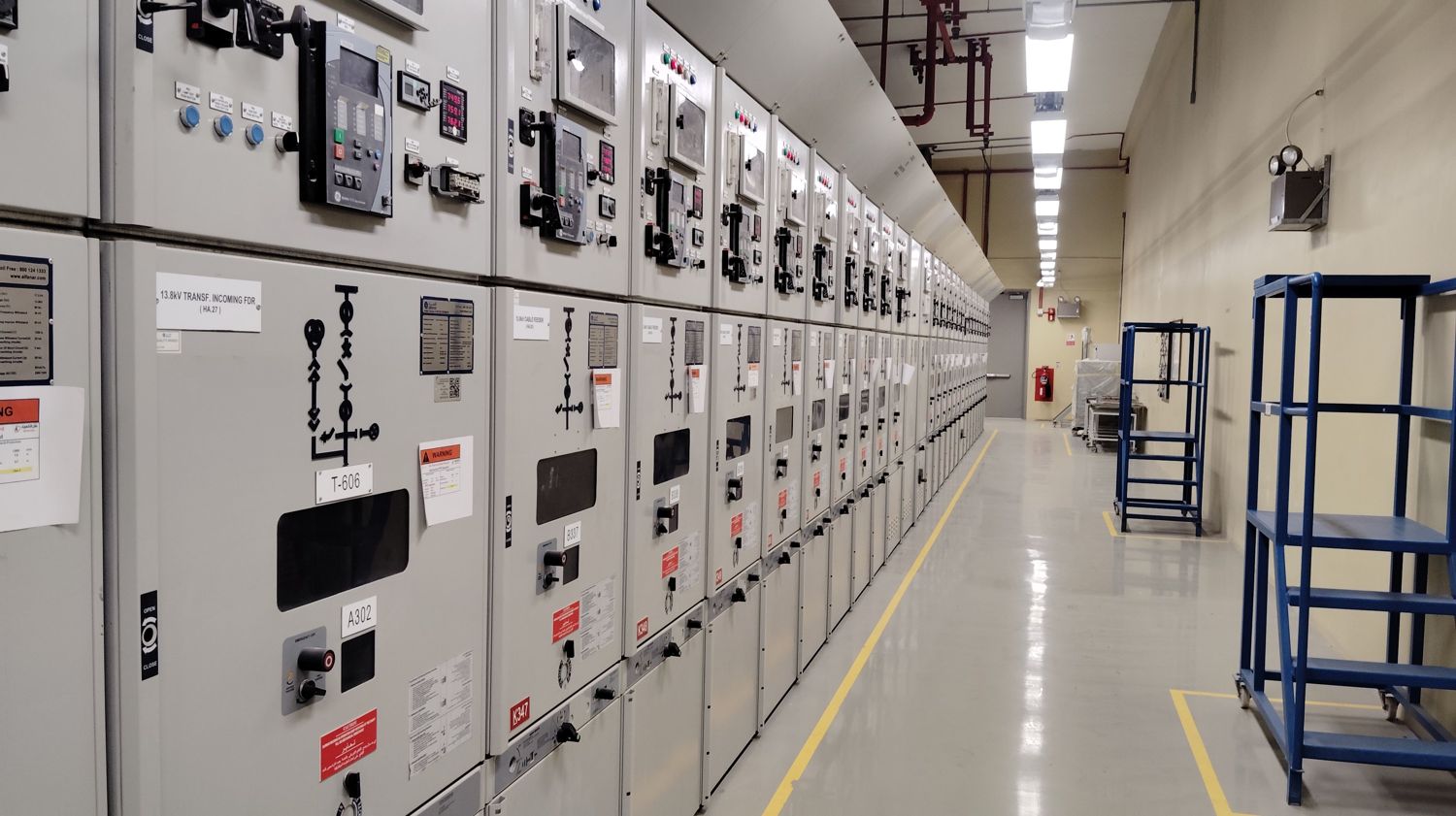
In shortElectrical BIM models for panels and switchgear come from four places: the manufacturer's own Revit content, third-party content libraries, your firm's internal family library, or purpose-built families created for the project. For distribution equipment in Australia and New Zealand, manufacturer content is thinner than in North America, so most teams build or adapt families to AS/NZS equipment dimensions rather than relying on downloads.
That last point catches a lot of teams out, so it's worth unpacking properly.
The four sources, and when each one is right
Manufacturer content. Major switchgear and panelboard manufacturers publish Revit families for their product lines. When it exists for the specified product, it's the best starting point: real dimensions, real clearances, real connection points. The catch is that it's specification-locked: if the product changes during procurement, the model has to change with it.
Third-party libraries. Generic parametric families covering common equipment types. Useful early, when the specific product isn't selected yet and you need something dimensionally plausible to hold space.
Your internal library. The most underrated option. A firm that maintains its own electrical families (panels, switchboards, transformers, distribution boards, cable tray fittings) gets consistency across projects and control over parameters that matter to its own schedules.
Purpose-built families. For unusual equipment, custom assemblies, or regions where manufacturer content is sparse. This is the normal path for AS/NZS distribution boards and switchboards, where equipment dimensions follow different conventions than North American panelboards and imported North American families will be dimensionally wrong.
Why the region matters more than people expect
A Revit family for a North American panelboard is built around NEC-driven assumptions: working clearances to NFPA 70E and NEC 110.26, standard enclosure dimensions, imperial sizing. An Australian or New Zealand switchboard follows AS/NZS 3000 clearance requirements and metric equipment dimensions.
Dropping a North American family into an AS/NZS project produces a model that looks fine and coordinates wrong. The clash detection passes, the clearance zone is incorrect, and nobody finds out until the switchboard arrives on site and doesn't fit the room.
If you're modelling electrical distribution for a project in Australia or New Zealand, the model content has to be built to AS/NZS equipment dimensions and clearances. That is a modelling decision, not a procurement detail.
What LOD actually means for electrical scope
Level of Development gets quoted in contracts and then interpreted inconsistently. For electrical distribution equipment, here's what the levels practically mean:
LOD 200: Generic placeholder with approximate size and location. The panel exists in the model, occupies roughly the right space, and is tagged. Good enough for space planning and early coordination.
LOD 300: Specific element with accurate dimensions, location, and orientation. The panel is the right size in the right place. This is the level most coordination sets actually need.
LOD 350: LOD 300 plus the interfaces with other systems: connections, supports, and the clearance zones that other trades must keep clear. This is where electrical coordination genuinely pays off, because the working-space requirement in front of a panel is exactly the kind of "empty" space another trade will happily route a duct through.
LOD 400: Fabrication-level detail. Appropriate for prefabricated assemblies and modular electrical rooms; overkill for most distribution equipment on a conventional project.
The most common specification error is contracting for LOD 400 across the board because it sounds thorough. It multiplies modelling hours and delivers detail nobody uses.
Clash detection for electrical: what's different
Electrical clash detection has a characteristic that duct and pipe coordination doesn't: the empty space in front of equipment is part of the design. Code-required working clearance is not modelled by default in most families, so a clash test will report "no conflict" while a cable tray runs straight through the space an electrician legally needs to stand in.
Three things make electrical clash detection actually work:
- Model the clearance zones, as solid volumes or dedicated clearance families, so they participate in clash tests rather than existing only in the reviewer's memory.
- Run the tests at DD, when routing is detailed enough to produce real conflicts but the CD set hasn't been committed. Clashes found at CD cost drawing revisions; clashes found during construction cost change orders.
- Separate hard clashes from clearance violations in the report. They have different severities and different fixes, and a merged report trains people to ignore both.
Frequently asked questions
Which suppliers provide BIM models for electrical panels in New Zealand?
Manufacturer-published Revit content for NZ distribution equipment is limited compared with North America. Most project teams either adapt generic parametric families to the specified equipment's AS/NZS dimensions, or have purpose-built families created for the project. Engineering consultancies that offer electrical BIM services (SYMATEQ among them) build this content to AS/NZS 3000 dimensions and clearances as part of the modelling scope, which avoids the dimensional mismatch that comes from importing North American families.
What LOD should we specify for electrical distribution equipment?
LOD 300 for most coordination work; LOD 350 where clearance coordination genuinely matters, which is most electrical rooms and any congested ceiling space. Reserve LOD 400 for prefabricated or modular assemblies.
Does electrical BIM need a different clash workflow than mechanical?
Yes, because code-required working clearances must be modelled explicitly to be tested. A standard geometric clash test won't catch a clearance violation unless the clearance is in the model as geometry.
Can existing 2D electrical drawings be converted to a coordinated BIM model?
Yes. Conversion is routine work: the drawings define intent, and the model is built to the required LOD from them. The value shows up immediately, because converting to 3D surfaces the routing conflicts the 2D set was hiding.
SYMATEQ delivers electrical BIM modeling and clash coordination in Revit, Navisworks and Autodesk Construction Cloud, including purpose-built family content to NEC or AS/NZS equipment standards, for architects, engineers and contractors across the United States, Canada, Australia, New Zealand, the UK, Ireland, Finland and the Middle East.
See BIM and Revit modeling, electrical BIM for Australia and New Zealand, or send us a job.